Free · Windows · in our Discord
AION 2 DPS Meter
See your damage, healing and damage taken — and everyone who fights the same monsters — live over the game, with every skill broken down.
Not approved by NCSOFT — use it at your own risk. Read this first
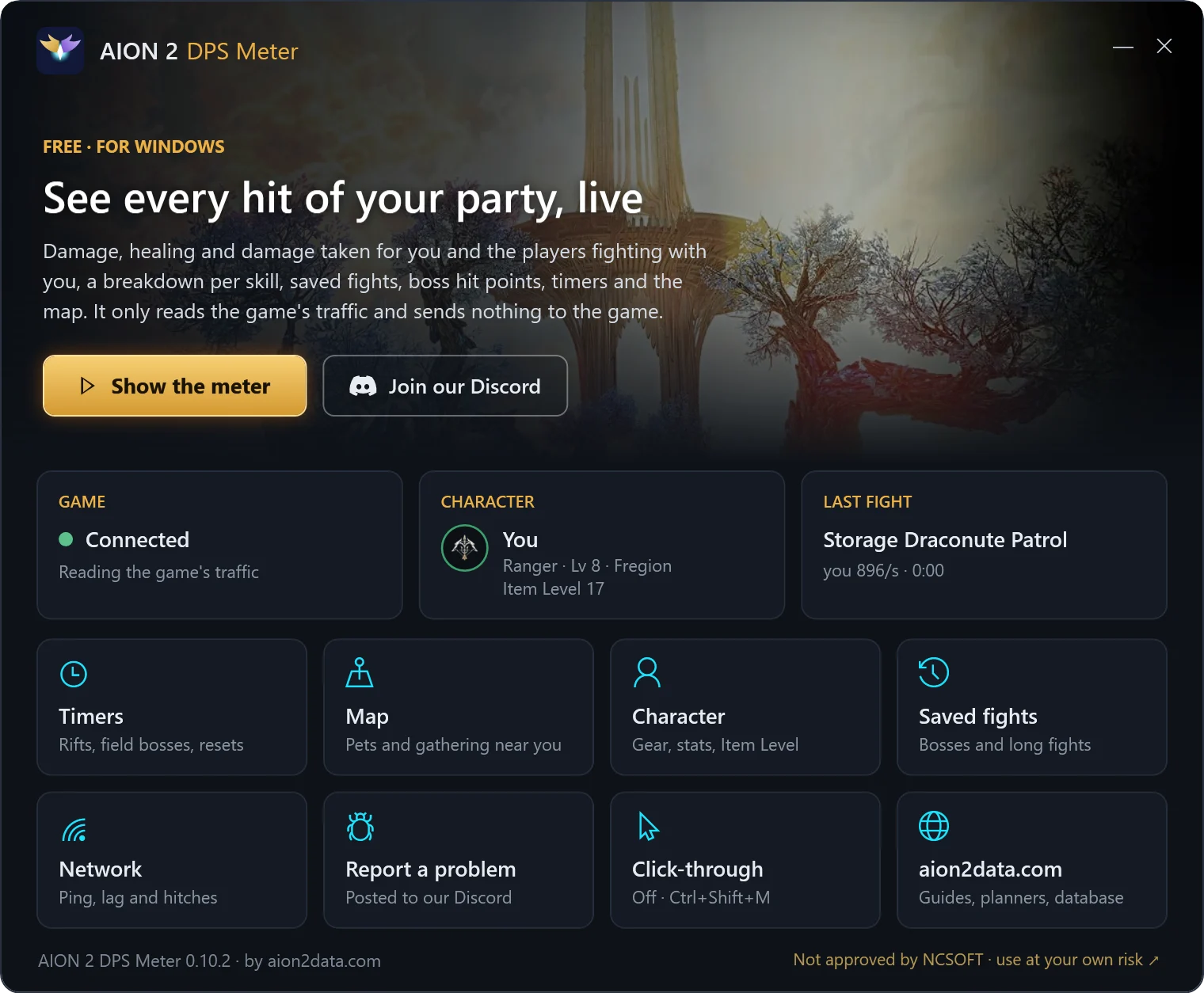
AION 2 DPS Meter, by Aion2Data, is a free Windows program. It shows damage, DPS, healing and damage taken for you and the players fighting with you, live in a small window over the game, keeps your boss fights, and has timers, your character's Item Level and a pet and gathering map. Download it in the Aion2Data Discord.
Not approved by NCSOFT — use it at your own risk
NCSOFT has not approved this meter or any other AION 2 meter. Its AION 2 Operation Policies punish the use of unauthorized programs with an account ban. The meter only reads your PC's network traffic and sends nothing to the game, but whether that is allowed is NCSOFT's call, not ours.
You download and use the meter at your own risk. Aion2Data is not responsible for any warning, restriction or ban on your account, or for anything else that comes of using it. If you don't accept that, don't install it.
What it looks like
What it shows
Live damage
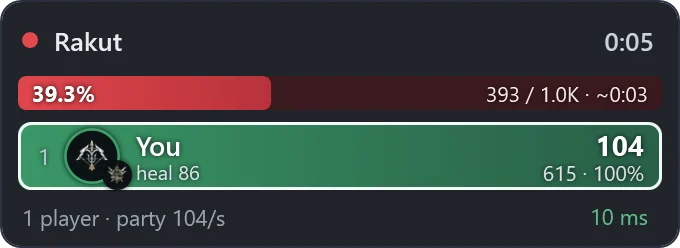
Damage, DPS and share for you and every player who hits the same monsters — strangers fighting nearby stay out.
Every skill
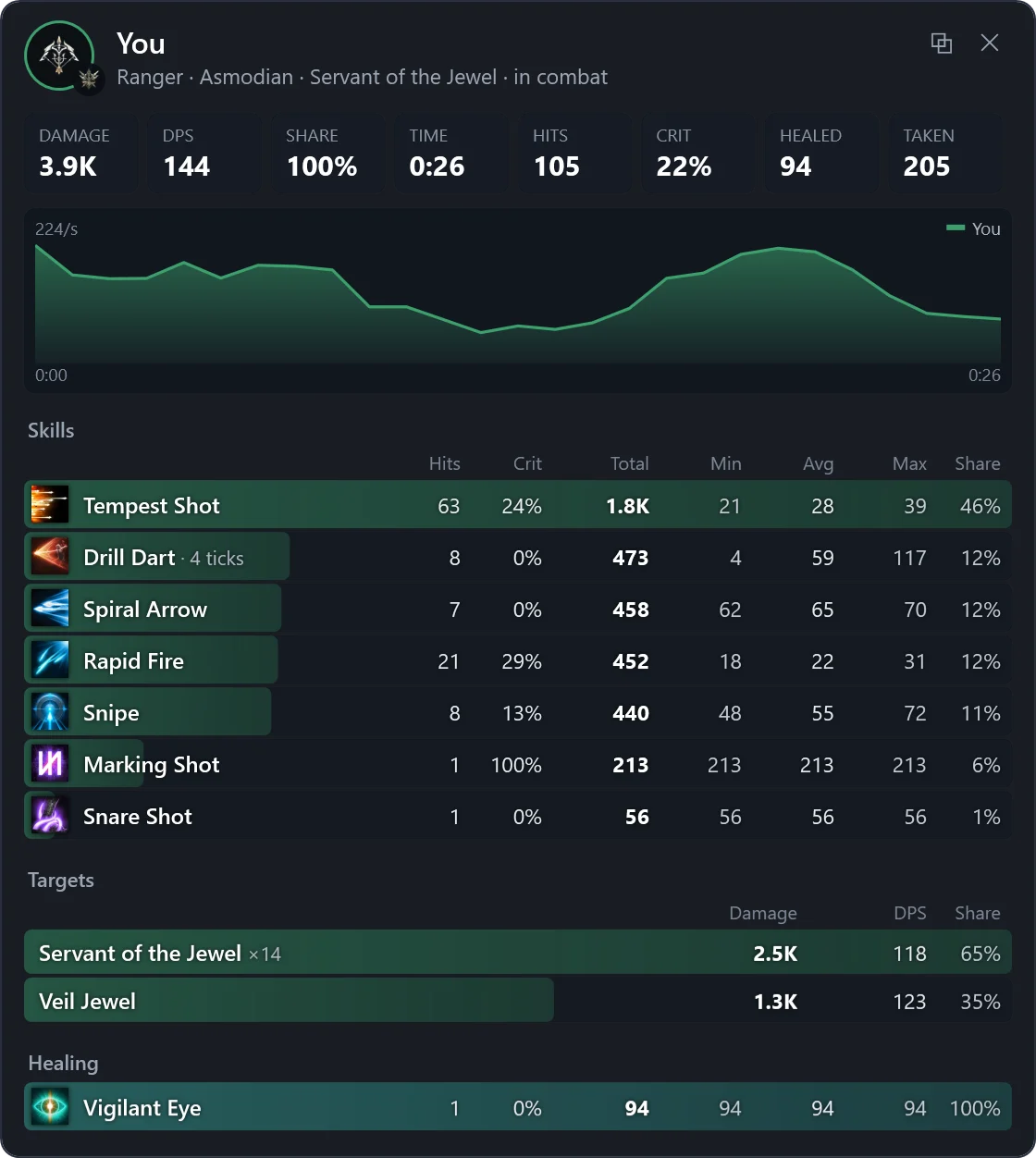
Hits, crit rate, the smallest, average and biggest hit and the share of each skill, damage per target and your DPS curve against the party's.
Healing and damage taken
Under each name, and per skill in the breakdown.
Bosses
The boss's hit points above the list, with the time left to kill it at your party's pace.
Saved fights
Boss fights and every fight from 20 seconds are kept; open any of them again, or copy a fight or one player into the game chat.
Timers
Spacetime Rifts, field bosses, Shugo Festival, sieges and resets in your own clock, with a bell before they start.
Your character
Gear with enhance levels and manastones, the stat window, skills and your Item Level.
Pet and gathering map
Where the monsters that drop the pets you want spawn, and the gathering spots and Hidden Cubes near you.
Network
Ping, lag and hitches, read from the game's own traffic.
How to start
- Join our Discord and open #meter-download: the download link is there.
- Install Npcap (free). The meter reads the game's traffic through it; the default options are fine.
- Run the setup. The meter opens with its own window; start AION 2 and enter the world — the dot turns green when the meter sees the game.
- Hit something: the fight shows up in the small window over the game. Ctrl+Shift+M lets your clicks pass through it to the game.
Questions
Can I get banned for it?
You can. NCSOFT hasn't approved meters, and its AION 2 Operation Policies punish unauthorized programs with an account ban. The meter only reads the game's network traffic on your PC — it sends nothing to the game and doesn't touch its files or memory — but that is no promise of anything. Use it at your own risk.
Where do I report a wrong number or a bug?
In the meter: Report a problem. Your words go up in #meter-bugs on our Discord, and the last minutes of the game's traffic come to us, so we can see what the meter saw. You can also post in #meter-bugs yourself.
It stays on “Waiting for the game”
Check that Npcap is installed and that you are in the world, not on the character screen. Ping boosters can route the game around Npcap: try once with yours turned off.
Does it update?
Yes, by itself: a new version downloads while you play and is there the next time you start the meter. New versions are posted in #meter-download.
Which servers?
It is made for the Global servers, on Windows 10 and 11.
Prefer the browser? The same timers, pet map and gear planner are on the site.